
CourtTime
for iPhone
Fair court time, without the headache
CourtTime builds the substitution schedule for every game, so you always know who should be on the court, who's resting, and when the next change is due. No notebooks, no spreadsheets, no mental maths.
Submitted to the App Store — coming soon
A look inside
Scroll sideways to see more
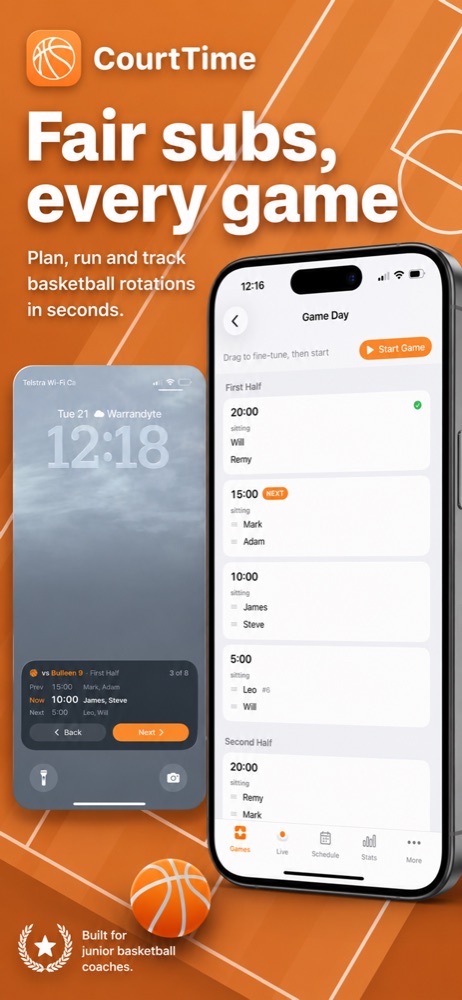
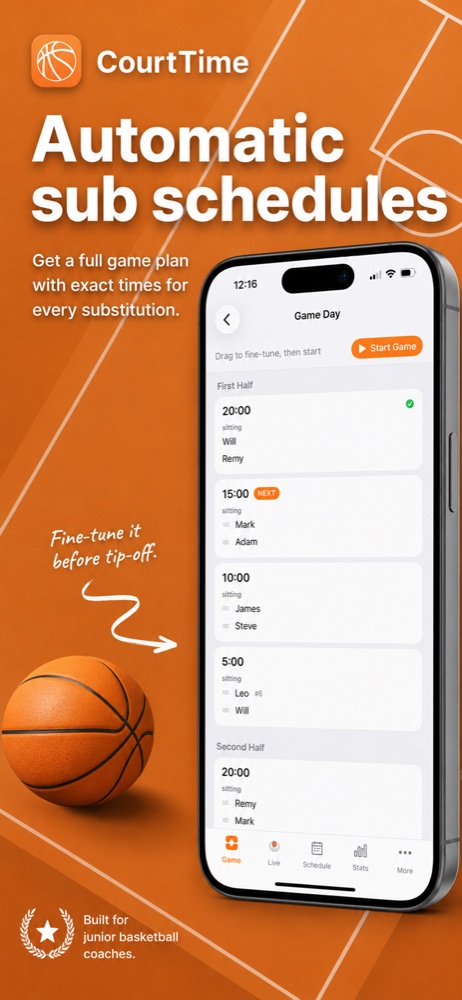

- Built for junior basketball
- Made for coaches whose job is to give every kid a fair go, not to squeeze out a win at any cost.
- Ready before you arrive
- The plan for Saturday is done during the week. Game day is just following it — or adjusting in seconds.
- Even over the season
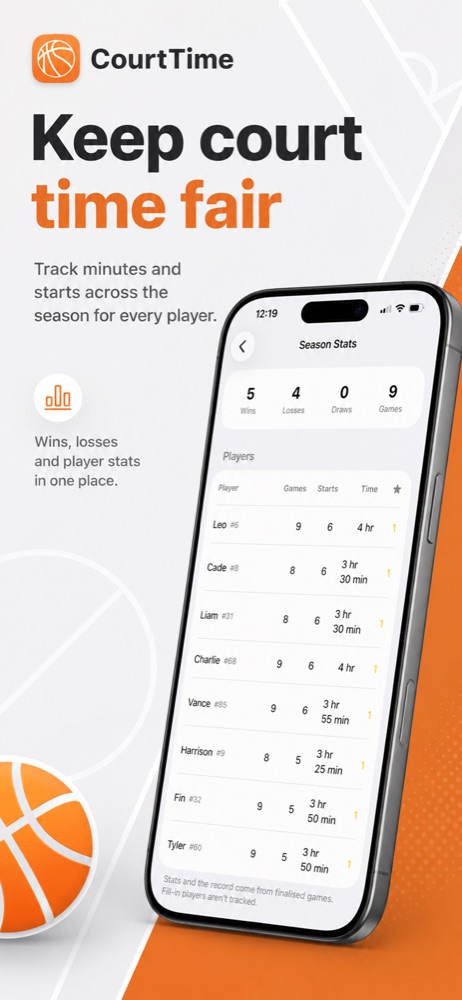
- Minutes and starts carry forward from game to game, so nobody quietly ends up with the short straw.
Everything in the app
Spend less time managing subs, more time coaching
Every part of CourtTime exists to answer one question quickly: who goes on next, and is that fair?
- Automatic sub schedules
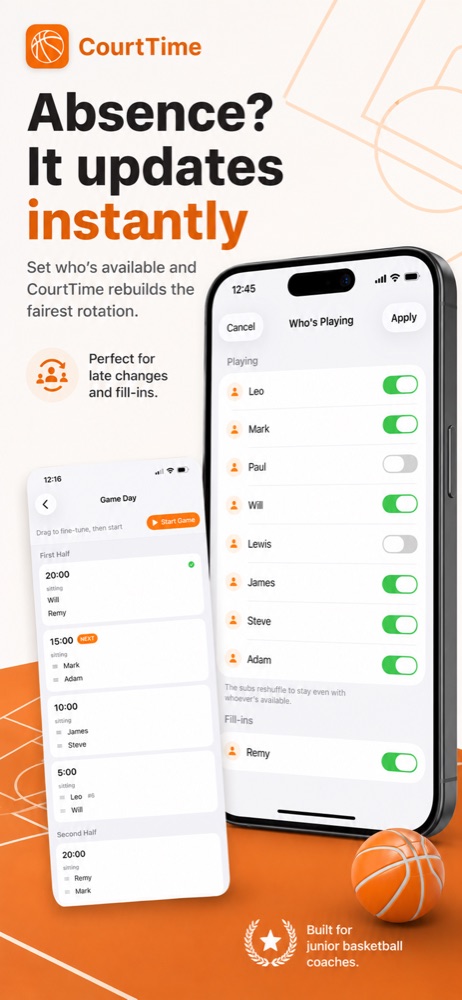
- Before every game CourtTime builds a complete plan showing exactly when each player comes on and off — based on your preferred substitution interval, who's available, and who's owed minutes.
- Absences and fill-ins
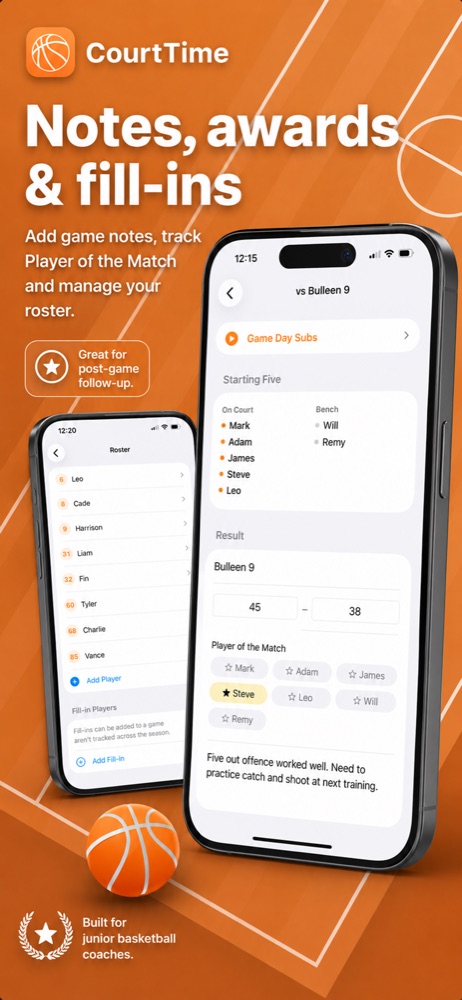
- Someone pulls out an hour before tip-off? One tap switches them off and the whole rotation reshuffles into the fairest schedule possible. Add a one-off fill-in without touching your season stats.
- Live subs on your Lock Screen
- During the game a Live Activity shows the previous, current and next substitution. Glance at your phone, call the change, tap Next — no unlocking, no scrolling, no losing your place.
- Fairness across the season
- CourtTime tracks games played, total court time, starting five appearances and Player of the Match awards for every player, then uses that history to keep opportunities even week after week.
- Share with your coaching crew
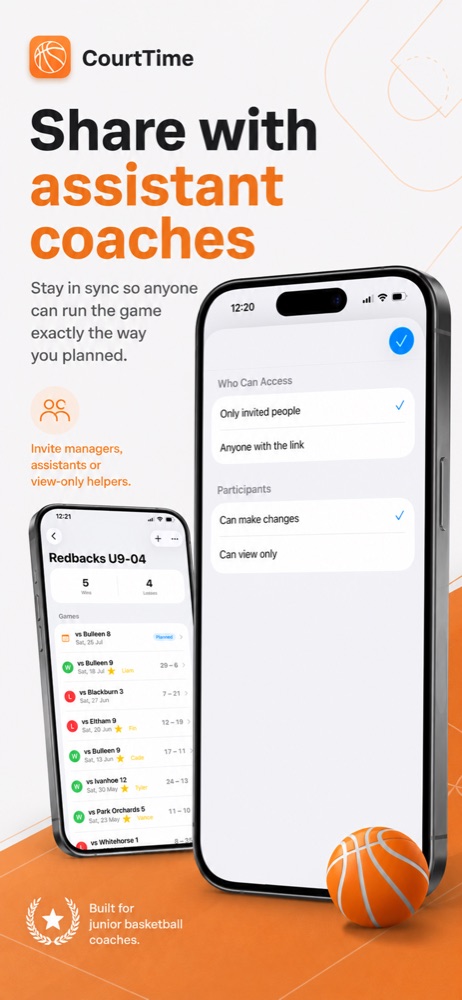
- Invite a team manager, assistant coach or a parent helping out. Everything stays in sync, so whoever is on the bench can run the plan you prepared. You decide who can edit and who can only look.
- The whole season in one place
- Record the final score, pick a Player of the Match, review the starting five and jot down what worked. Next time you play the same team, last time's notes are right there waiting for you.
How the rotation is worked out
Six things CourtTime balances for you
You can override any of it by dragging players around before tip-off. Most weeks you won't need to.
- Player availability
- Previous court time
- Starting five appearances
- Your substitution interval
- One-off fill-in players
- Any manual changes you make
Getting started
Three steps, then it's just game day
-
01
Add your team
Enter your roster once — names and numbers. Set how long a game runs and how often you want to substitute.
-
02
Plan the game
Mark who's available. CourtTime builds the schedule, and you drag players around if you want to fine-tune it.
-
03
Run the game
Start the game and step through each change as it happens, from the app or straight off your Lock Screen.

Adam Pallozzi
Developer, and coach of my son's team
Built by a junior basketball coach
I built CourtTime because I coach my son's team and was doing all of this with a notebook and pen — planning rotations, remembering who started last week, tracking court time, and redoing the whole thing whenever someone pulled out.
CourtTime takes that entire process and makes it simple. I hope it helps your team too.
Coming soon to the App Store
CourtTime has been submitted for review. Send me an email and I'll let you know the moment it's available — or if there's something your team needs that it doesn't do yet.
CourtTime collects nothing about you or your players. Read the privacy policy.